One of the first questions enterprise teams ask when they evaluate a translation management system (TMS) is “Can it connect to our systems?” In most cases, a TMS can connect through a translation connector.
A translation connector is software that moves content from a content management system (CMS) or another business tool, such as Jira or Zendesk, into a TMS for translation, and sends the translations back when they’re done. The main types are connectors built by the TMS vendor, translation plugins inside the CMS, partner connectors linking multiple systems, and custom third-party connectors built on APIs.
Connecting a TMS to a CMS and other business tools is now common, but knowing how to choose a translation connector can still be hard. The options overlap, the terms are confusing, and the best choice depends on what your team wants to achieve. That’s the question memoQ’s Business Services team starts with on integration projects. Here’s how the team approaches connecting a CMS to a translation management system, with seven best practices for choosing a translation connector.
In this article
- What is a translation connector?
- What are the main types of translation connectors?
- How does a translation connector work?
- How do you choose a translation connector? Seven best practices
- How do companies use translation connectors with memoQ?
- How does memoQ approach translation connectors?
- Will AI agents and MCP change translation connectors?
- Frequently asked questions
What is a translation connector?
A translation connector links two systems that weren’t built to work together. Filip Klepacki, Head of Business Services at memoQ, compares it to a translator between software. It converts between two systems’ data formats and APIs, so that each one “understands” what the other sends.
People often use “translation connector” and “translation management system integration” to mean the same thing. In this article, “connector” covers any setup that links a TMS such as memoQ TMS to another system, whether it’s a plugin, a separate application, or custom code.
Without a connector, someone has to export content from the CMS, email the files to the localization team, and paste the translations back in. For a website in several languages, that takes a lot of time. A CMS translation connector:
-
returns translations to the right place, ready to review or publish
-
routes content through the TMS, so translation memories help reuse existing translations and term bases keep approved terminology consistent
-
lets the teams who request translations work in the tools they already use
What are the main types of translation connectors?
Filip points out that every connector uses the TMS’s API in some way. The main difference between the types is who builds and maintains each one, and who fixes it when the CMS releases an update.
Here are a few translation connector pros and cons for each type.
| Connector type | How it works | memoQ connectors | Best fit | Things to consider |
|---|---|---|---|---|
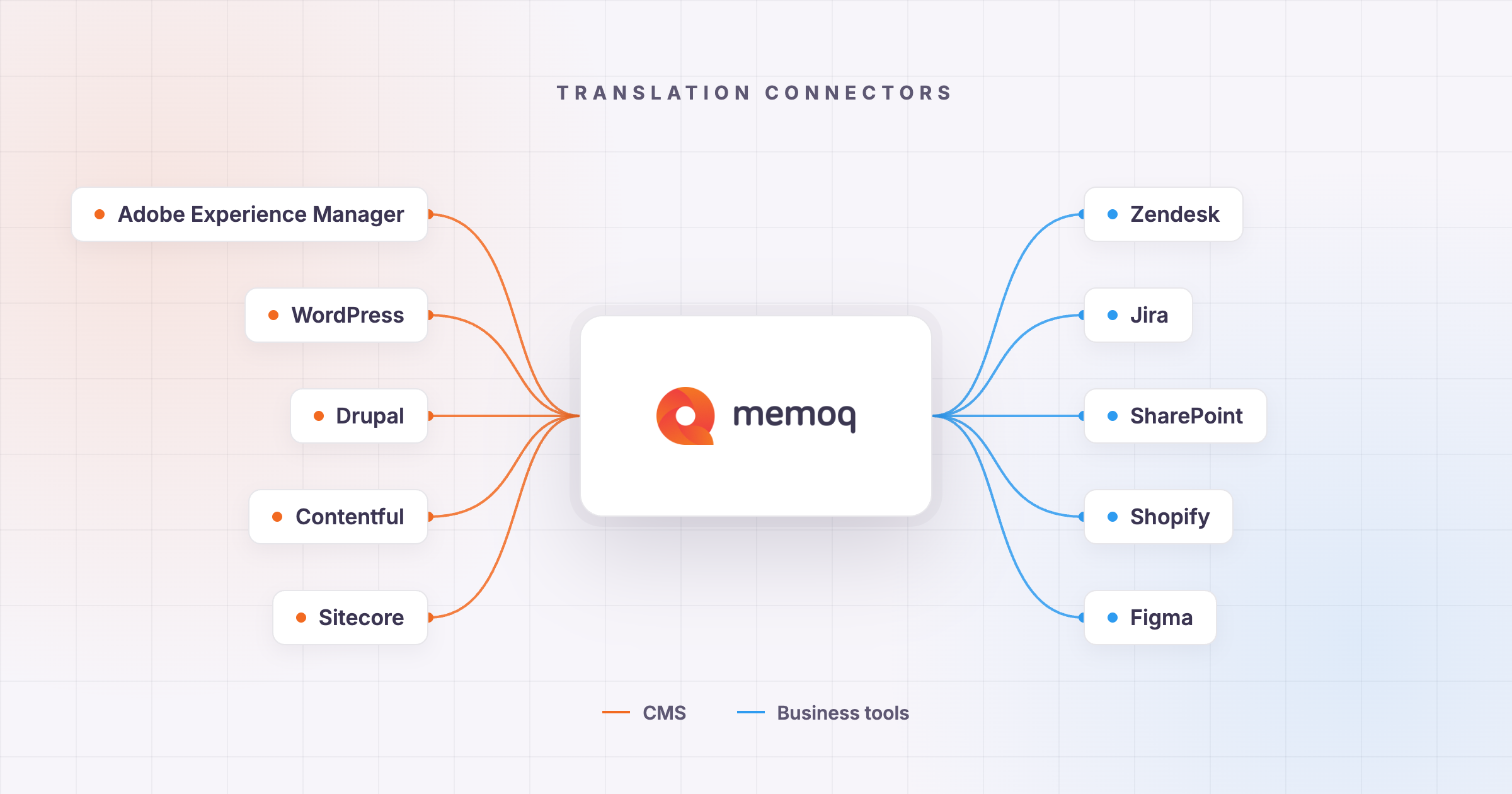
| Connectors built by the TMS vendor | Links a specific system to the TMS | AEM, Shopify, Zendesk, Jira, SharePoint, Adobe Marketo Engage | Widely used systems and standard workflows | Your workflow may need to adapt to what the connector does |
| CMS translation plugins | A translation framework installed in the CMS (often a third-party plugin or module) sends content to the TMS | WordPress (through WPML), Drupal (through TMGMT), FirstSpirit | Teams that manage translation from inside the CMS | The plugin’s developer maintains it, so fixes after a CMS update come from them |
| Partner connectors and middleware | A company that specializes in connectors links the CMS and the TMS | iLangL (for Contentful, Sitecore, Contentstack, and others) and a partner-built Figma plugin | Systems where a specialist already offers a robust connector | A second provider to sign up with, which can add procurement and security steps |
| Custom connectors | Developers build a connector on the TMS’s APIs | Custom builds by memoQ Business Services or your own developers | Workflows that existing connectors don’t cover | Weeks or months of development for a large connector, plus ongoing maintenance |
How does a translation connector work?
Most connector setups follow one of two workflows (and some allow both):
-
Someone chooses what to translate. A person selects the content in the CMS, picks the target languages, and sends it to the TMS. AEM, WordPress (WPML), and Drupal (TMGMT) each have their own framework for creating translation projects this way. Some teams prefer it because their CMS can’t reliably mark content as ready for translation.
-
The connector picks up content automatically. Anything new or changed in a chosen category or folder in the source system goes straight to the TMS. This suits content that changes often and doesn’t need someone to decide what gets translated, such as help center articles or product descriptions.
Once the content arrives in memoQ TMS, project templates can run the next steps automatically. They can pre-translate it with translation memories, memoQ AGT, or machine translation, apply term bases for terminology, and assign the work to linguists. The translations then go back to the source system.
Where do people still step in?
Even in a highly automated setup, people usually step in at two points: at the start, to decide what gets translated, and at the end, to review and sign off before anything is published.
memoQ recommends doing the review in memoQ, so corrections update the translation memories and term bases for next time. That can be harder for reviewers who don’t normally use memoQ, and a preview of the final page isn’t always available. Plan how reviewers will see their work in context.
Some customers deliberately keep manual steps. Filip says they give up automation at certain points because they need to keep control over the process.
How do you choose a translation connector? Seven best practices
When a company asks whether memoQ can integrate with the different software systems its teams use, Filip’s first step is to ask questions.
“For my team, that question is too vague. We have to ask: what is it that you want to achieve? What level of automation do you want? Maybe you don’t need automation at all. It’s like a discovery call, but we’re helping the customer discover what they need.”
These seven translation connector best practices come from those conversations.
1. Start with the goal instead of the connector
Not every connector is for translating content. For example, a team may want translation data in a reporting database, or notifications in a Teams or Slack channel instead of email. When the goal is translating content, be specific about where that content is stored. Adobe and Salesforce each offer several products, so name the exact one. Then decide which content in it needs translating and what should happen to it.
2. Map how content moves today
Write down each step in your process from creating content to sending it for translation, including who copies what between systems. This step often shows how many people are involved and who approves content before it goes for translation.
3. Decide what starts the translation
Before letting the connector pick up content automatically, check how your source system shows that content is ready, for example, with a status or a folder. If it can’t, sending content by hand avoids translating drafts by mistake.
4. Match the level of review to the content
Not all content has the same risk. A help center article that’s understandable after machine translation may be fine to publish. A website, legal content, or regulated product information needs a linguist to review it first. Decide which content takes which route before the connector is built.
5. Bring IT and security in early
A connector needs access to company systems, which means getting sign-off from IT and security teams. In large companies, this can take time. Filip says IT often has the final say, so bringing them in late can delay the whole project.
6. Decide whether to use an existing connector or build your own
An existing connector, built by the TMS vendor or a partner, is usually the fastest option when your workflow matches what it does. A partner connector means adding a second provider, which can sometimes be an issue for procurement or security. A custom connector fits your workflow exactly, but can take weeks or months to build, and someone has to maintain it as systems change.
The right choice depends on how central the workflow is to your business and whether you have the budget and team for custom development. Damien Saby, Product Marketing Lead at memoQ, says a custom connector can be worth the investment for core workflows.
“It shouldn’t be you having to adapt to rigid technology. It should be the technology adjusting to you.”
7. Look at value as well as ROI
Sometimes the best advice is not to build a connector at all. Filip says spending a lot on something you use twice a year may not make sense, and training someone or setting up a simple workflow in memoQ can be enough.
ROI is also harder to calculate than it looks, because the cost of change management is often left out. But a connector that takes repetitive tasks off someone’s plate can be worth it even when the numbers are modest.
How do companies use translation connectors with memoQ?
DHL Group and Monta: WordPress through WPML
After DHL Supply Chain took a majority stake in Monta, the Dutch e-commerce company began expanding across Europe. Monta needed its website in more languages, so it connected its WordPress site to memoQ using the WPML plugin. memoQ sent the content to machine translation through APIs, and linguists from DHL’s Corporate Language Services team post-edited the output.
The setup paid off. According to the DHL Group success story, it automated 95% of the translation workflow, raised productivity by about 50%, and helped translate more than 800,000 words.
Zendesk: sending new articles for translation automatically
Support teams add and update help center articles all the time, and translation has to keep up. The Zendesk connector watches the knowledge base and sends new and updated articles to memoQ. memoQ can translate them automatically and push them back to Zendesk to publish, with or without human review. Reviewers can open the memoQ project directly from the connector, and if they revise a translation after it goes live, the updated version goes back to Zendesk too.
Jira: translation as part of a product launch
Many product teams track launch tasks in Jira, and translation is one of them. The Jira connector adds a Translate button to each issue, so team members can send a translation request to memoQ TMS and get the translation back in Jira, with no downloading, emailing, or uploading files. Damien says this means localization doesn’t need a separate process.
Epic: a custom setup on memoQ TMS
Epic makes healthcare software used by patients and clinicians around the world. With a high volume of in-house strings and complex documents to translate, the company needed to cut the amount of manual work. It turned to memoQ TMS as the platform for a custom solution that automates its development and translation pipeline, from machine translation to delivery and retrieval.
How does memoQ approach translation connectors?
memoQ TMS supports all four connector types in this article, with APIs and SDKs for teams that want to build their own. The full list is on memoQ’s integrations page.
memoQ’s Business Services team also builds custom connectors and helps companies decide what to integrate, how much to automate, and when a simpler setup works better. Customers get help working through the questions in this article, from setting a goal to IT and security sign-off.
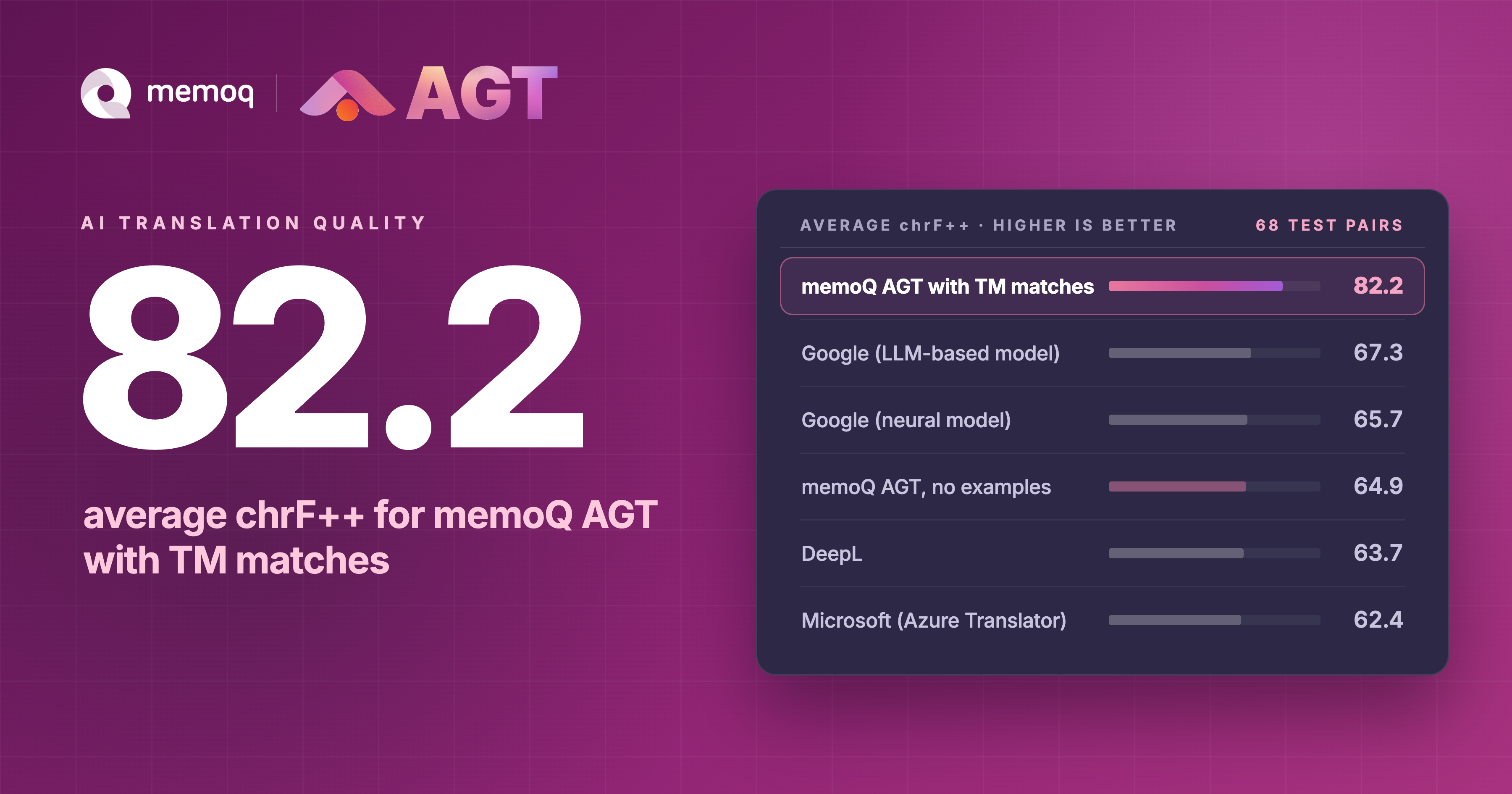
Connectors link to memoQ’s AI translation tools, too. memoQ AGT can run as a step in an automated connector workflow, translating content with your translation memories and term bases before it goes to review.
Will AI agents and MCP change translation connectors?
They might, but not yet. The Model Context Protocol (MCP) is an open standard that gives AI agents a common way to use tools from other software. In theory, an agent with MCP access to both a CMS and a TMS could move content between them. For now, though, Filip says most customers asking about MCP for localization are still experimenting.
One reason is that agents need clear instructions and a lot of testing.
“You have to be really clear about what you want to achieve, because the agents do not think for themselves. If you don’t put some guardrails in, they will try to assume. Sometimes too much. If the MCP tools overlap, the agent might get confused about which one to use.”
Security is the other open question. Companies have to decide how much access to give an agent. With too little, it can’t do the work, but with too much, one mistake could disrupt other workflows. There is also a risk of prompt injection, where the content itself contains instructions the agent might follow. And pushing large volumes of content through an agent’s context window might corrupt tags or formatting.
Filip expects interest in AI agents to grow. The questions in this article apply to agents too, so working through them now is also good preparation. You can already try MCP with your own memoQ data: memoQ MCP Server answers questions about your live projects, deadlines, and resource availability.
To find the right setup for your systems, talk to memoQ’s Business Services team about what you want to achieve, or explore memoQ integrations.
Frequently asked questions

Mimi Moore
Mimi Moore has over 20 years of experience in globalization and localization, from managing translation projects to leading in-house content marketing. In 2021, she founded Wolfson House Writing, a Netherlands-based content marketing agency for language services and language technology companies. She volunteers as Senior Manager, Brand and Content at Women in Localization and regularly contributes to MultiLingual Magazine. For memoQ, Mimi writes about AI translation, data security and TMS integrations. Off the clock, she loves exploring new cities and hunting for buried treasure in used bookstores.